Views: 0 Author: Site Editor Publish Time: 2026-07-14 Origin: Site
A jammed device brings operations to an immediate, frustrating standstill. Watching important documents crumple inside hot rollers disrupts your entire workflow. You need a fast, effective solution to salvage your work and protect your equipment. While most minor jams resolve using basic troubleshooting steps, recurring blockages signal deeper mechanical issues. They often point to failing silicone rollers, inadequate heating elements, or simply using under-specced equipment for high-volume tasks. Ignoring these warning signs usually leads to permanent machine failure.
This comprehensive guide covers everything you need to know about fixing these jams safely. We detail immediate extraction protocols, safe roller cleaning techniques, and preventative maintenance strategies. You will also learn exactly how to determine when continuous repairs drain your resources. By the end, you will understand when upgrading your setup to commercial or industrial equipment provides a much better return on investment and eliminates daily bottlenecks.
Safety first: Always power down and unplug the machine before attempting a manual extraction to prevent burns or electrical hazards.
Leverage built-in tools: Utilize the ABS (Anti-Blocking System) release lever or reverse function as the primary extraction method.
Avoid sharp objects: Never use scissors or metal blades to pry plastic from rollers; scoring the silicone rollers permanently destroys the machine.
Assess replacement ROI: If jams are frequent or the machine requires manual disassembly, upgrading to equipment with automated jam-detection or industrial-grade rollers is usually more cost-effective than ongoing downtime.
When you spot a document misfeeding, your reaction time dictates whether you face a minor inconvenience or a ruined machine. Fast, precise actions minimize damage to both your document and the silicone heating rollers.
Disconnect the power immediately. You must stop the rollers from pulling the document further into the chassis. Unplugging the unit also cuts off the heating element. This prevents the plastic pouch from melting excessively and bonding irreversibly to the internal mechanics. Electrical safety remains your top priority here; never attempt to reach into a powered, heated machine.
Most modern desktop models feature a manual release lever, commonly labeled as the ABS (Anti-Blocking System). You will usually find this lever on the rear or side panel. Pressing or sliding this lever physically separates the upper and lower internal rollers. It relieves the gripping pressure entirely. Once you disengage the tension, you can freely slide the jammed pouch out of the feed slot.
For motorized removal, rely on your equipment's reverse button if it includes one. Switch the machine to reverse while gently guiding the pouch back out. Do not pull hard. Let the motor do the heavy lifting. This method works perfectly for rigid pouches that have not yet wrapped themselves around the internal cylinders.
If you must pull the document manually, use the correct physical technique. Grip the exposed end of the pouch firmly with both hands. Pull evenly and slowly in a perfectly horizontal line parallel to the feed slot. Do not jerk the plastic, and avoid pulling upward or downward. Angled pulling increases friction, tears the paper, and leaves melted adhesive smeared across the rollers.
Sometimes, a jam escalates past a simple misfeed. When a pouch wraps around the internal mechanisms, it requires delicate, deliberate handling. Aggressive extraction will ruin the equipment.
A "wraparound" happens when a pouch overheats, curls completely, and encases the heating rollers. This scenario often proves fatal for entry-level devices. The molten plastic fuses directly to the silicone surfaces. When this happens, the standard reverse function becomes useless, as the motor lacks the torque to break the plastic bond.
Industry professionals frequently debate whether to let the machine cool or keep it warm during a complex extraction. Cooling hardens the plastic, allowing you to sometimes snap it off in chunks. However, keeping it warm softens the adhesive, making it easier to peel away in one piece. We recommend keeping the device warm but unplugged. Use a wooden or rubber scraper to gently lift the edge of the warm plastic.
Extraction Method | Mechanism | Primary Risk | Best Use Case |
|---|---|---|---|
Warm Extraction (Recommended) | Adhesive softens, allowing for peeling. | Minor burn hazards to fingers. | Thin pouches recently wrapped around the roller. |
Cool Extraction | Plastic hardens into a brittle shell. | Sharp plastic edges can slice the silicone roller. | Thick pouches completely fused to the chassis. |
When the pouch completely vanishes inside, you might feel tempted to open the outer casing. This involves removing the bottom screws and lifting the plastic shell to expose the roller assembly directly. You can then carefully cut the pouch away from the gears.
Opening the casing typically voids the manufacturer’s warranty. It also exposes you to significant thermal and electrical hazards. Manufacturers calibrate these internal rollers precisely. Disturbing their alignment often ruins the pressure distribution permanently. You should treat casing removal strictly as a last-resort action for machines already outside their warranty window.
Fixing a jam solves the immediate crisis, but preventing the next one requires understanding why it happened. Repeated jams rarely occur purely by bad luck. They typically stem from specific operational errors or degraded components.
Inserting the open end of the pouch first remains the most common cause of blockages. When you feed the open end, the rollers push the trapped air backward toward the sealed edge. This causes the plastic to bubble, buckle, and fold over itself. Always feed the closed, sealed edge into the slot first.
You must match your pouch thickness to the hardware capabilities. Pouch thickness uses "mil" measurements. Running a thick 10-mil pouch on a lightweight machine rated only for 3-mil pouches causes major issues. The device cannot generate enough heat to melt the thicker plastic properly, nor does the motor have enough torque to pull it through. The pouch stalls halfway, melting unevenly.
Over months of daily use, microscopic glue deposits squeeze out from the pouch edges. These deposits accumulate directly on the rollers. They create a sticky, uneven surface that catches future documents. You must run specialized cleaning sheets through the device regularly to absorb this excess glue before it hardens.
Common Mistakes to Avoid:
Feeding pouches at an angle rather than perfectly straight.
Cutting a pouch before running it through (exposes raw adhesive).
Pushing the document forcefully into the intake slot.
Failing to use a protective carrier when running thin or odd-shaped items.
If you clean the rollers and feed documents correctly but still experience jams, your Laminating Machine likely suffers from component degradation. Repeated heat cycles warp the metal shafts. Heating elements lose their consistency, causing cold spots that stall the plastic. When structural degradation occurs, the device has reached the end of its useful lifecycle.
When you rely on equipment for daily operations, a broken device quickly becomes a business liability. You must weigh the frustration of endless repairs against the practical value of a fresh upgrade.
Consider the problem in strict business terms. Calculate the monetary value of ruined documents, wasted pouches, and most importantly, lost labor time. If your staff spends two hours a week fighting jams, disassembling casings, and reprinting damaged materials, those wasted wages rapidly exceed the cost of buying a reliable new unit.
Some mechanical failures cannot be fixed. You should immediately discard the device if you notice any of the following critical failure signs:
Scored Rollers: Deep scratches on the silicone ensure every future document will have visible bubbles and creases.
Persistent Burning Smell: If it smells like burning electronics (not just hot plastic) even after cleaning, the internal wiring insulation is failing.
Grinding Motor Noises: Loud clicking or grinding means the internal plastic gear teeth have sheared off entirely.
If you decide to replace your setup, do not buy the exact same entry-level model. Look for modern, standard models featuring intelligent jam auto-reverse sensors. These sensors detect abnormal thickness and back the document out automatically. Upgrade to a system boasting 4 to 6 rollers instead of just 2; extra rollers ensure perfectly even tension and flawless heat distribution. Rapid warm-up times (under 60 seconds) also indicate superior, modern heating elements.
Desktop models work well for occasional office use. However, businesses processing hundreds of documents daily require an entirely different class of machinery to maintain profitability and eliminate blockages.
If your operation experiences constant jams purely due to high volume, you have outgrown your equipment. Forcing consumer-grade devices to handle continuous production inevitably leads to thermal overload. Transitioning to continuous-roll or industrial machinery becomes a necessary operational upgrade rather than an optional luxury.
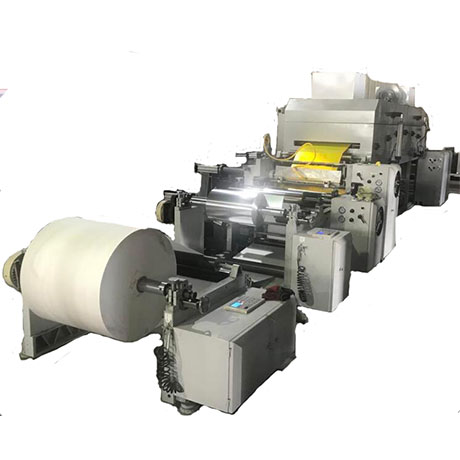
For packaging and heavy-duty printing environments, a High-Speed Solventless Laminating Machine dramatically changes production capabilities. These massive units utilize automated tension control systems. By precisely managing the web tension of the materials as they feed through the cylinders, these systems virtually eliminate the traditional "paper jams" that plague smaller devices. They handle enormous rolls of material continuously without buckling or creasing.
Modern industrial facilities increasingly prioritize sustainability alongside performance. A Solventless Laminating Machine delivers immense operational benefits. Because it relies on precisely mixed, solvent-free adhesives, it operates with zero VOC (Volatile Organic Compound) emissions. Furthermore, the precision adhesive application completely prevents the messy roller fouling and glue buildup that causes constant misfeeds in traditional setups. It requires significantly lower maintenance while outputting superior quality.
Niche manufacturing sectors demand highly targeted solutions. For example, the tobacco industry and specialized label makers face unique material challenges. In these environments, a Wet Laminating Machine for Tipping Paper provides targeted, jam-free throughput. These machines apply liquid adhesives with exact precision before bonding the layers. Standard heat-seal laminators simply cannot match their speed, accuracy, or ability to handle specialized, delicate paper grades without tearing them.
Dealing with a jammed device requires patience, the right technique, and an understanding of your equipment's mechanical limits. By powering down immediately, utilizing release levers, and pulling the document evenly, you can salvage most minor misfeeds. Regular maintenance, such as running cleaning sheets and feeding pouches correctly, will prevent adhesive buildup and operator-induced errors.
However, you must recognize when basic repairs no longer suffice. While a single jam is a minor annoyance, chronic jamming exposes a severe equipment limitation. Wasting valuable labor hours fighting broken gears and scored silicone ultimately damages your bottom line.
Evaluate your current production volume today. If you consistently push past the limitations of desktop equipment, it is time to explore high-performance or industrial upgrades. Investing in advanced, continuous-feed solutions will permanently eliminate these frustrating production bottlenecks and safeguard your workflow.
A: No. Never use metal blades, scissors, or knives near the internal components. One slip will score the soft silicone rollers. Scratched rollers leave permanent air bubbles on every future document, effectively destroying the machine. Always use smooth wooden or plastic tools.
A: Smoke typically indicates one of two things: melting adhesive burning against the heating element, or a serious electrical failure within the wiring insulation. Unplug the device immediately. Let it cool completely in a well-ventilated area before attempting any cleaning or diagnosis.
A: Once you clear the jam, run a specialized cleaning sheet or a folded piece of plain cardstock through the warm device multiple times to absorb residual glue. For heavy residue, let the rollers cool and gently wipe them using a soft cloth dampened with isopropyl alcohol.
A: Yes. Feeding a pouch diagonally causes the leading edge to hit the internal casing or the edge of the roller shaft. This unequal pressure forces the plastic to crumple, buckle, and ultimately wrap around the mechanisms. Always feed pouches perfectly straight.